
Showing posts with label Downloads. Show all posts
PSP firmware 6.39 include a guided password change process


Playstation 3 users can have for some time to change PSN password via the XMB menu. Looked PSP owners so far in the tube. Now announced by Sony, that a firmware update for the Playstation portable will be released, which is also available on the PSP makes password to change on a menu item in the XMB of the handheld. This is just after the hack attack on the PlayStation Network last April to become an important function in order to prevent a possible access by third parties on their own account.
Announced on the Sony's official website, firmware 6.39 wants include a guided password change process. Although the passwords change feature is the major selling point, some stability issues wants thus fuel element rectified.

Firmware 6.39 is the from Sony already been put online. You can update your PSP as normal via the system update in the handheld's XMB, or to download the official firmware from Sony's official website.
 May 24, 2011

Install a safe custom theme on PSP
Bored of your old PSP themes? This is the right place for you to update yourself on the latest PSP themes on the net and learn how to install your PSP themes and also customize your own PSP themes.
Please take note that if your PSP firmware is not match with the PSP themes version, then you might experience error. For example, my PSP custom firmware is 5.00 M33 and my themes are for 4.01. Only the wallpaper will be applied but the rest remains the same and not changed.
In case you didn't know the PSP custom theme or CTF theme, you can read my previous post about The Difference Between .PTF and .CTF Theme.
Before we start, I'll tell you what you need:
- The PSP Theme you desire
- PSP Firmware 5.00 M33 or higher
- USB to connect to your computer
Now you can have custom themes without flashing. The steps are exactly the same as when you're installing CTF themes only that you need to download an additional plug-in.
- Download the CXMB plug-in.
- After you have unzipped the file, copy the CXMB folder to the root of your memory stick "MS0:/"
- If you already have a seplugins folder and vsh.txt inside, open vsh.txt in seplugins, add this line (ms0:/cxmb/cxmb.prx) and save. If you don't have, just copy seplugins folder and its contents into the Memory Stick root directory.
- Add themes by putting CTF files in MS0:/PSP/theme/
- Now you need to enable CXMB (the plug-in) in your PSP Recovery Mode (boot holding down the building onto R). In the recovery mode click on plug-in and enable CXMB.prx
Here is an example of a CTF Theme:


If you're looking for some cool themes to put on your PSP device, check out the site below. You'll find thousands of backgrounds that you can download for free after you join as a member. You'll also get unlimited access to download PSP movies, music, videos, software and much more.
 April 30, 2011
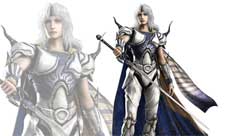
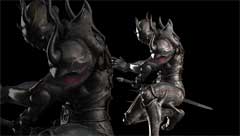
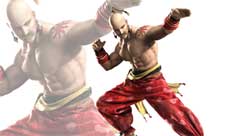
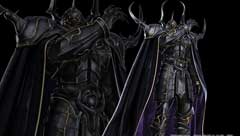
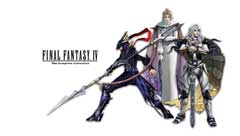
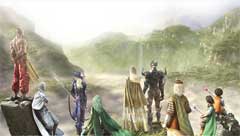
Final Fantasy IV PSP Wallpaper
 |  |  |  |
 |  |  |  |
 |  |  |  |
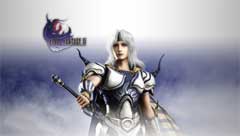 |  |  |  |
These image is a resize from Final Fantasy IV official wallpaper. Resolution has been changed into 480 x 272 to fit the screen resolution of Playstation Portable.

To set any image as your PSP background follow these steps:
- Place it on your memory stick in the :/PSP/PHOTO directory.
- Go into the photo menu to select it.
- Now press "triangle" and look for "Set as Wallpaper"
- The PSP will ask if you want to set this wallpaper, click "yes"
- Now your wallpaper is all set.
- Go to your theme settings and make sure your wallpaper is set to "use"
If you're looking for some cool wallpaper and backgrounds to put on your PSP device, check out the site below. You'll find thousands of backgrounds that you can download for free after you join as a member. You'll also get unlimited access to download psp movies, music, videos, software and much more.
April 21, 2011
Patapon 3 PSP: more epic with multiplayer support

Patapon 3 will allow players to participate in musical battles, thrashing through opponents with rhythm based attacks. Players can also choose the multiplayer Quest option to discover the game with their friends, or go against rival tribe in a four vs. four battle. The network can handle up to eight players.
The game is designed to allow players to quickly switch between multiplayer and single-player options. You can play in solo mode, then switch to online if you get stuck or need a bit of backup. Playing alone will give you three automated partners, but multiplayer is certainly a better option for formulating strategies.

Don’t let the 2D simplicity art fool you. Patapon 3 has more original graphics and drawing than the majority of 3D strategy games on the PSP market. It uses a perfect clash of black, white, and deep colors to create attractive and captivating gameplay.
Available as both UMD and as a PSN download (wallet friendly price of 19.99), this new chapter in the patapon saga will throw you into massive online battles, cooperative and competitive, crazy single player adventures and some of the most intense rhythm/action warfare your PSP has ever experienced.
You can also customize the appearance of your PSP using this theme and wallpapers.


Click button to download

To gain more PSP Content visit this site:
April 12, 2011
Downloadable Content of Dissidia Duodecim Final Fantasy

Square Enix has been said that several games and demos will contain codes and such, which will allow full experience of the game. These are:
- A free DLC version costume for Warrior of Light minus his helmet is available in the PlayStation Store for download. Will be released for the US PlayStation Network on March 29th.
- Dissidia 012 Prologus Final Fantasy: Aerith as battle character (Assist only).
- Dissidia 012 Final Fantasy Legacy Edition (EU) or pre-ordering from Amazon (US) : Bonus outfit for Tifa (Yoshitaka Amano art costume).
- April edition of V Jump (JP) or Dissidia 012 Final Fantasy Legacy Edition (EU): Bonus outfit for Squall (Kingdom Hearts costume).
- Kingdom Hearts Birth by Sleep Final Mix (JP) or pre-ordering Dissidia 012 from Gamestop (US): Bonus outfit for Cloud (Kingdom Hearts costume).
- The 3rd Birthday (JP and US) or The 3rd Birthday Twisted Edition (EU): Bonus outfit for Lightning (Aya Brea costume).
- Final Fantasy IV The Complete Collection: Bonus outfit for Cecil (costume based on the super deformed artwork).
- Bonus outfits for both Zidane and Kuja specially designed by Hideo Minaba have been announced. They are scheduled to be released in Japan's PlayStation Store on March 31st for 300 yen each.
- June edition of V Jump (JP): Bonus outfit for Vaan (original design costume).
- Dissidia Duodecim Ultimania -RPG SIDE-: In-game usable music from Final Fantasy XIII.
Square Enix also plans to make more downloadable content for the game in the future, and more battle themes and outfits will be purchasable this way.
Here we provide Dissidia 012 Final Fantasy themes and wallpapers you can download to customize the appearance of your PSP.


Download here
April 9, 2011


